


PL-100T00: Microsoft Power Platform App Maker Training
-
 By
Admin
By
Admin
- 25/Jul/2026
- 0 Students
Course Description
PL-100T00: Microsoft Power Platform App Maker Training – Introduction :-
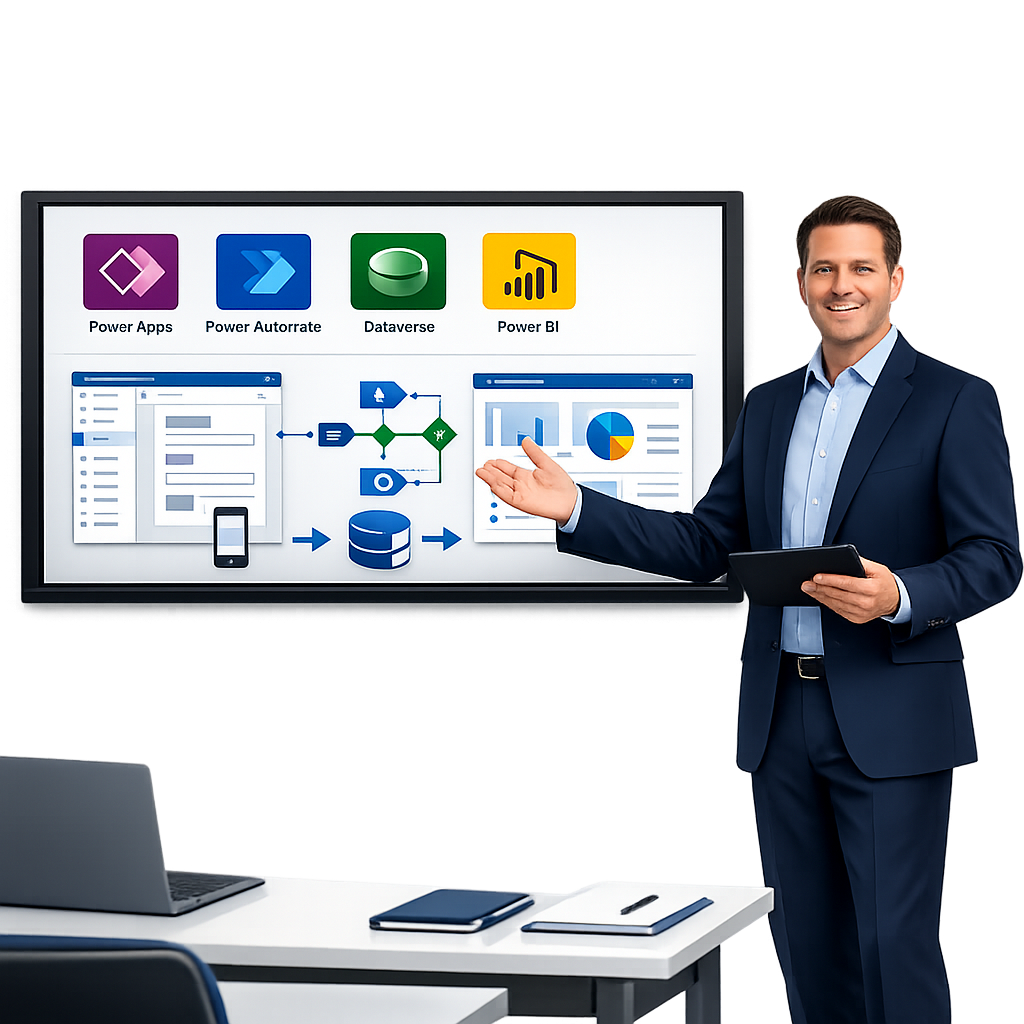
PL-100T00: Microsoft Power Platform App Maker is an official Microsoft training course designed to help learners build powerful business solutions with minimal coding. The course teaches participants how to create custom applications using Microsoft Power Apps, automate business processes with Power Automate, analyze data with Power BI, and work with Microsoft Dataverse.
Description
This route includes Microsoft Power Platform App Builder certification goals (PL-100).
Applicants for this exam are competent to use data and comprehend the problems that their firm needs to solve. Using the necessary procedures and app experiences, they may use this information to conceive, deconstruct, and automate jobs and processes for their team and organization. The candidate is able to work independently, doesn’t necessarily need formal IT training, but is at ease using technology to develop business solutions. The ability to use features of Power Platform apps as well as other apps like Microsoft Teams, Microsoft 365 apps and services, and other third-party solutions is essential, as is being an advocate for Power Platform solutions.
Benefits of PL-100T00: Microsoft Power Platform App Maker Training
- Master Low-Code App Development – Learn to build professional business applications quickly using Microsoft Power Apps with minimal coding.
- Automate Business Processes – Use Microsoft Power Automate to streamline repetitive tasks, approvals, and workflows, improving efficiency.
- Develop Data-Driven Applications – Connect apps to Microsoft Dataverse, SharePoint, Excel, SQL Server, Microsoft 365, and hundreds of other data sources.
- Enhance Business Productivity – Create solutions that reduce manual work, improve collaboration, and increase operational efficiency.
- Learn from Hands-On Labs – Gain practical experience by building real-world applications and automation solutions during the training.
- Integrate Microsoft Services – Connect Power Platform solutions with Microsoft Teams, Outlook, Dynamics 365, Azure services, and third-party applications.
- Improve Problem-Solving Skills – Learn how to analyze business requirements and develop effective low-code solutions to meet organizational needs.
- Prepare for Microsoft Certification – Build the knowledge and skills required to pass the Microsoft Certified: Power Platform App Maker Associate (PL-100) certification exam.
- Increase Career Opportunities – Qualify for roles such as Power Platform App Maker, Power Apps Developer, Business Applications Specialist, Functional Consultant, and Citizen Developer.
- Support Digital Transformation – Help organizations modernize legacy processes and accelerate digital transformation using Microsoft Power Platform.
- Build Secure and Scalable Solutions – Understand best practices for application security, governance, and data management.
- Boost Professional Value – Demonstrate in-demand Microsoft Power Platform skills that are highly valued across industries including IT, finance, healthcare, manufacturing, retail, and government.
Who Should Attend PL-100T00: Microsoft Power Platform App Maker Training?
This course is ideal for:
- Business Analysts who want to build low-code business applications and automate workflows.
- Citizen Developers looking to create apps without extensive programming knowledge.
- Power Platform App Makers who want to enhance their Power Apps and Power Automate skills.
- IT Professionals seeking to develop business solutions using Microsoft Power Platform.
- SharePoint Developers and Administrators who want to integrate Power Apps and Power Automate into SharePoint environments.
- Microsoft 365 Administrators and Users interested in extending Microsoft 365 capabilities with custom applications.
- Project Managers who want to digitize business processes and improve team productivity.
- Functional Consultants implementing business solutions for clients using Microsoft technologies.
- Business Process Owners responsible for optimizing workflows and reducing manual tasks.
- Aspiring Microsoft Certified Professionals preparing for the Microsoft Certified: Power Platform App Maker Associate (PL-100) certification exam.
- Students and Fresh Graduates interested in starting a career in low-code application development and business automation.
- Anyone interested in Microsoft Power Platform who wants to learn how to build applications, automate processes, and create data-driven business solutions with minimal coding.
Prerequisites
- User experience design, process analysis, requirements analysis, and fundamental data modeling skills.
- A commitment to personal development and comfort with using technology to address issues in the workplace.
- An awareness of the operational requirement and vision of the intended result. They employ iterative and staged approaches to solving challenges.
PL-100T00: Microsoft Power Platform App Maker Training – Course Outline
Module 1: Introduction to Microsoft Power Platform
- Overview of Microsoft Power Platform
- Power Platform components and architecture
- Business value of low-code development
- Getting started with the Power Platform environment
Module 2: Create Applications with Power Apps
- Introduction to Power Apps
- Canvas Apps fundamentals
- Model-Driven Apps
- User interface design and customization
- App navigation and controls
Module 3: Work with Microsoft Dataverse
- Introduction to Microsoft Dataverse
- Create and manage tables
- Relationships and business rules
- Data modeling and security
- Importing and exporting data
Module 4: Connect to Data Sources
- Standard and premium connectors
- SharePoint integration
- Microsoft 365 and Excel integration
- SQL Server connectivity
- Third-party connectors
Module 5: Build Business Logic
- Variables and collections
- Formulas and expressions
- Conditional statements
- Data validation
- Error handling
Module 6: Automate Business Processes with Power Automate
- Introduction to Power Automate
- Create automated and instant cloud flows
- Approval workflows
- Scheduled flows
- Integrating Power Apps with Power Automate
Module 7: User Experience and App Customization
- Responsive app design
- Themes and branding
- Media and controls
- Navigation techniques
- Accessibility best practices
Module 8: Security and Governance
- Power Platform security model
- User roles and permissions
- Environment management
- Data Loss Prevention (DLP) policies
- Governance best practices
Module 9: Reporting and Analytics
- Introduction to Power BI
- Embedding Power BI reports into Power Apps
- Data visualization
- Business insights and dashboards
Module 10: Testing and Deployment
- App testing techniques
- Debugging and troubleshooting
- Version control
- Publishing applications
- Managing updates
Module 11: Integrations and Advanced Features
- Microsoft Teams integration
- Microsoft 365 integration
- AI Builder overview
- Custom connectors
- Power Platform extensibility
Module 12: Certification Preparation
- PL-100 exam objectives
- Practice questions and quizzes
- Hands-on labs
- Best practices and exam tips
- Final project and course review
Learning outcomes
- Make model-driven and canvas apps
- Power Automate flow creation
- Create enterprise applications for the Power Platform.
- Microsoft Dataverse configuration (the new name for the Common Data Service - CDS)
- Analyze data, display it graphically, and produce Power BI reports
- Explain the models in AI Builder
Target Audience
- Business users, power users, and aspiring developers who are interested in developing unique business applications with the Microsoft Power Platform would be the target audience for the PL-100T00: Microsoft Power Platform App Builder training.
- The Microsoft Power Platform's current features are probably familiar to prospective students, who are interested in learning how to use the app maker to build bespoke apps and expand existing platforms to suit the unique requirements of their enterprises.
- Training is appropriate for people with fundamental knowledge of application development, and it would be helpful for those who are familiar with the Power Platform.